Seven holiday photo booth ideas for company parties in 2026 are team holiday cards, black and white Glam portraits, GIFs and boomerangs, AI winter portraits, Vogue runway clips, a video guestbook for team messages, and an Open Air photo station paired with a 360 Video Booth. Choose the experience around your guests, venue and preferred keepsake.
Start with the keepsake you want guests to leave with. A printed team photo suits people who want something for their desk. A short video gives the group a reason to move and have fun together. A recorded message lets someone say a thank-you they might never put in an email.
At One, Two, Smile! Photobooth, we offer holiday party photo booth experiences for company celebrations in San Francisco, San Jose and the Bay Area. These seven ideas give you a starting point. Once you know what you like, send us the date, venue and guest count so we can talk through the setup and custom details.
1. Make a team holiday card people can take home
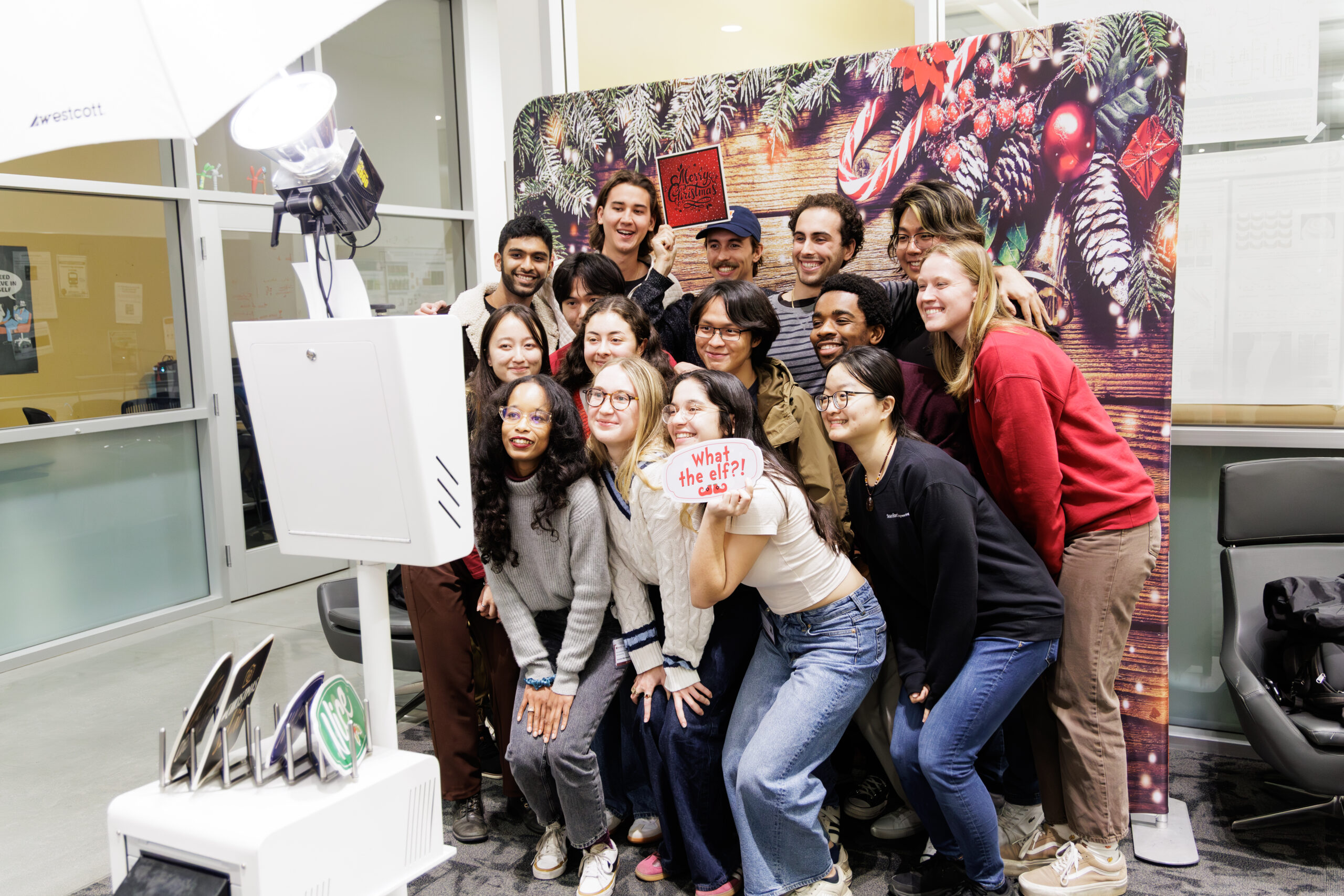
Give small groups a place to create a holiday card together. Use a clean frame with the company name, a short seasonal greeting and the event year. Keep the middle of the design open so faces have room.
An Open Air Photo Booth works well for this concept because coworkers can pose together. Let guests choose their own groups instead of making every department stop for a formal portrait. That gives guests the freedom to take a photo with the people they spent the evening with.
Decide whether you want a postcard-style photo, a strip or a digital image. If you’re picturing a folded greeting card with an envelope, say so in the brief. That’s a different finished product. For group photos, confirm the print quantities too, especially if you want everyone in the picture to receive a copy.
2. Create a black and white holiday portrait corner
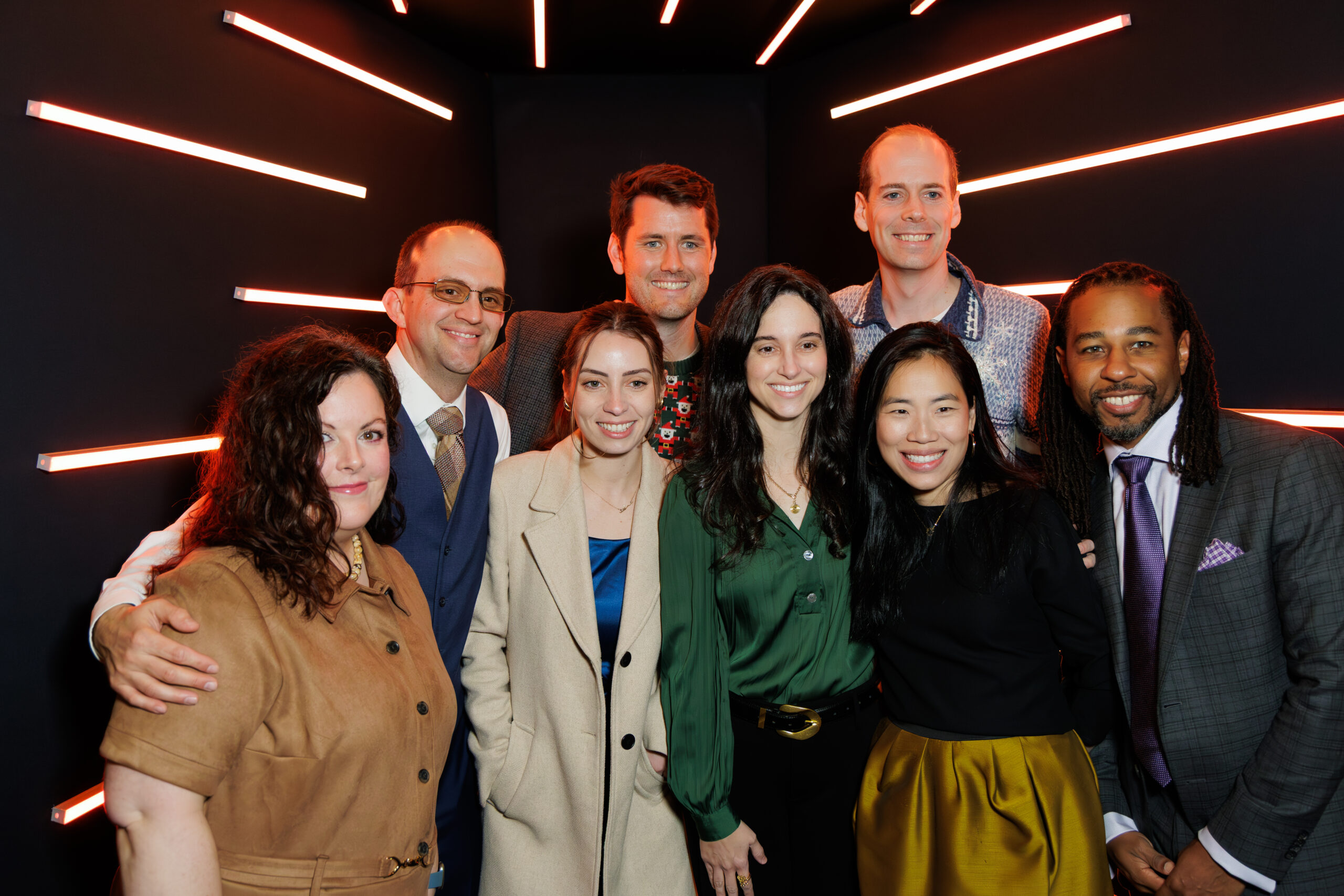
For a company dinner or formal year-end celebration, consider a simple portrait setting. Guests have already made an effort with their clothes. Give them a photograph that shows it.
A Glam Photo Booth offers a portrait-focused approach with studio lighting and a signature black and white look. Keep seasonal details restrained: a small greeting in the print border, a subtle event date, or a backdrop selected for its tonal contrast.
Review the design in black and white before approving it. Two brand colors that look different on a screen can become similar shades of gray. The photograph needs clear separation between the guests, their clothing and the background. If the company palette is central to the event design, ask about color Glam instead.
3. Turn a simple group action into a holiday GIF
A GIF needs an action that reads quickly. Try a coordinated wave, a playful peek from behind a gift box, or a group lifting their hands for a year-end cheer. For a boomerang, choose a small movement that looks good going forward and backward.
The GIF and Boomerang Photo Booth gives guests a digital loop rather than a moving printed photo. That distinction matters when your team is deciding between a physical favor and content guests can save on their phones.
Keep instructions short enough to understand in one glance. One clear action usually works better than a sequence guests must rehearse. Leave space around hands and faces when designing the overlay, and test the final file on a phone. Confirm the delivered format if your team plans to reuse it in an email or on a particular social platform.
4. Build an illustrated winter postcard with AI portraits
Imagine a portrait with the guest inside an illustrated mountain lodge scene, a winter city postcard or a playful holiday toy-box design. AI makes the visual transformation part of the activity.
The AI Photo Booth starts with a source photograph and uses an approved creative direction to create the finished portrait. Choose a style that makes sense for your audience. A detailed illustrated portrait might suit an intimate client reception; a bold graphic treatment could fit a lively employee celebration.
We’d develop and test that creative direction for your event. I recommend reviewing it with several different people before approving it. Keep exact logos and event text in a separate layout where they can be checked carefully. Let the AI image create the scene and the frame carry the branding.
5. Give holiday outfits a short runway moment
A fashion-inspired concept works when the invitation already encourages guests to dress up. Offer a simple action: walk into position, pause, turn toward the camera and finish with a pose.
The Vogue Booth can capture photos, GIFs or video, depending on the selected setup. Choose the main output before designing the guest instructions. Someone expecting a still portrait should not discover a movement sequence only after stepping in.
Make a still-pose option available in the plan for guests who prefer it. Place the experience where people can watch and understand what happens, while keeping the entrance clear. A nearby dance floor may suit a music-led clip, but the queue should not cut across the party.
6. Record a year-end thank-you with a video guestbook
Some holiday moments are worth hearing. A colleague describing who helped them through a demanding project has a different kind of value from a posed photo.
Use a Video Guestbook for short messages such as a favorite team memory or a thank-you to a coworker. Keep participation optional and tell guests who will see the recordings. A private collection for the team is a different use from a public recruitment video.
Choose a quieter position and test the sound while the room is active. Ask what the final delivery includes, such as individual recordings or an edited collection. A montage, captions or additional editing should be specified if needed. Avoid prompts that invite confidential project details or put employees on the spot.
7. Pair a team photo with a celebratory 360 video
When you want both a keepsake and a movement-based activity, consider two complementary stations. Guests can take a group photo and separately record a short clip with a 360 Video Booth.
Give each station a distinct purpose and clear signage. Nobody should have to complete the video experience to receive a photo. Check the full operating area for both, including the camera's movement, staff access and waiting space.
This pairing requires its own capacity plan. Two different experiences don't automatically divide the line in half, especially when guests want to try both. Ask how the stations will operate during the busiest part of the evening.
How do you choose between these holiday photo booth ideas?
| Your main priority | Start by considering | Confirm before booking |
|---|---|---|
| A group keepsake | Open Air holiday card concept | Group framing and print quantities |
| Formal portraits | Glam portrait corner | Color or black and white treatment |
| A quick movement-based activity | GIFs or boomerangs | Delivered file format and guest instructions |
| A personalized transformation | AI winter portraits | Style testing and delivery workflow |
| Outfits and movement | Vogue Booth | Photo or video output and floor space |
| Personal team messages | Video Guestbook | Sound, privacy and final editing scope |
| A photo and a separate video | Open Air and 360 pairing | Independent operating space and capacity for both |
Make the experience easy to join. Some guests will arrive ready to pose; others will be happier stepping in with a friend. Simple instructions and an easy place to stand help both groups enjoy it.
Frequently asked questions
Does a company holiday photo booth need a Christmas theme?
No. A winter palette, a year-end portrait or a team celebration can feel seasonal without a specific religious theme. Match the language and visuals to the event your organization has chosen.
Can one booth make photos and videos?
Some formats support more than one output, but the available modes and their effect on session time should be confirmed. Choosing one main guest activity can make the experience easier to understand.
Are custom scenery and props included?
They depend on the experience and production scope. Send examples of the look you want and ask which elements are available, which need custom production and what will appear in the proposal.
Summary
A holiday booth works best when the activity and the keepsake fit the same brief. Group cards and Glam portraits give guests a photograph to keep, while GIFs, Vogue clips and 360 videos invite movement. AI portraits and video messages offer different ways to make the result personal. Choose the output first, then build the setup around it.
Key takeaways
- Decide whether the priority is a printed photo, a digital image, a moving clip or a recorded message.
- Approve a sample in the format guests will receive, including the crop, branding and any print quantities.
- If you choose two experiences, plan capacity for guests who want to try both.
- Use short instructions and a comfortable guest route so people can join without a long explanation.
Plan your company holiday experience
Planning a 2026 company holiday party? Tell us what you have in mind. Send your date, venue, guest count and budget range, along with the kind of photo or video you want guests to take home.